Anonymous TikTok Viewer
A creator caught your eye. A comment made you curious. Explore public profiles, reposts and conversations with the Anonymous TikTok Viewer. No login. Just a closer look.
- No password, ever
- Public content only
- Private saved list
- Independent of TikTok
A little curiosity. On your terms.
Bring a handle or a link. Keep your password to yourself. Choose what to load and what to save.
No TikTok login
You never enter a TikTok password, code or cookie. There is no account to connect.
Public content only
GlimTok shows what a public source makes available and never bypasses privacy settings.
Nothing loads until you ask
Your lookup loads the profile and its first content page. You choose when to load more or open comments.
A private saved list
Your bookmarks, groups and notes stay in your account. Saving never follows anyone.
A link. A look. Something new.
Start the Anonymous TikTok Viewer with a username or full video link. Explore accessible content in your browser, one page at a time.
Bring a handle or link.
Type @username for a profile, or paste a full video link for its details. No TikTok sign-in required.
Take a look around.
See the profile and first posts together. Explore another page or open the comments when you want more.
Keep a good find.
Save a creator for later. Need the comments in a file? Choose the exporter and review its quote.
Your Anonymous TikTok Viewer.
A few ways in.
Meet a creator, find a repost or follow a conversation. Choose the tool for what brought you here.
TikTok Profile Viewer
Look up any public TikTok profile by username or link. See the bio, follower counts and recent posts without logging in or installing the app.
OpenTikTok Repost Viewer
Use the TikTok Repost Viewer to explore a public account's shared videos, with the original creator shown. Enter a username. No TikTok login needed.
OpenTikTok Comment Viewer
Read public comments with the TikTok Comment Viewer. Paste a video link, open replies and search the comments you load. No TikTok login needed.
OpenTikTok Comment Exporter
Turn public comments into CSV or Excel with the TikTok Comment Exporter. Choose replies, set a row limit and review the credit quote before starting.
OpenTikTok PFP Viewer
TikTok PFP Viewer for public profile pictures. Look up an account by username, view its public avatar and download the largest available image.
OpenSaved profiles
Keep the profiles you return to in one private list. Groups, pins, notes and a default tab. Never a TikTok follow.
Open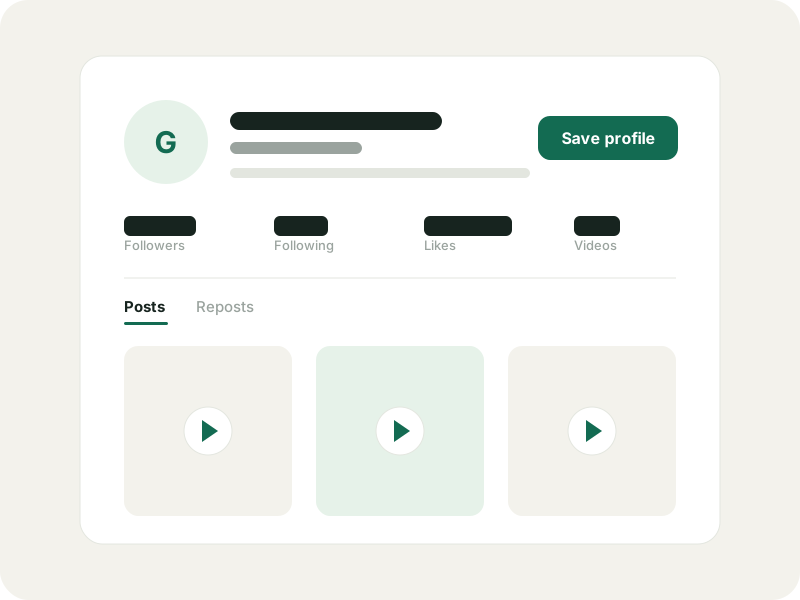
One good clip.
A whole creator to discover.
The bio, the handle, the numbers behind the account. The Anonymous TikTok Viewer brings public profile details together, then lets you load posts or reposts when you want more. See what the creator makes and what they share.
- Start with an exact @username or full profile link
- Check available stats and the time they were fetched
- Browse post details without autoplay
Stay for the comments.
Follow the conversation.
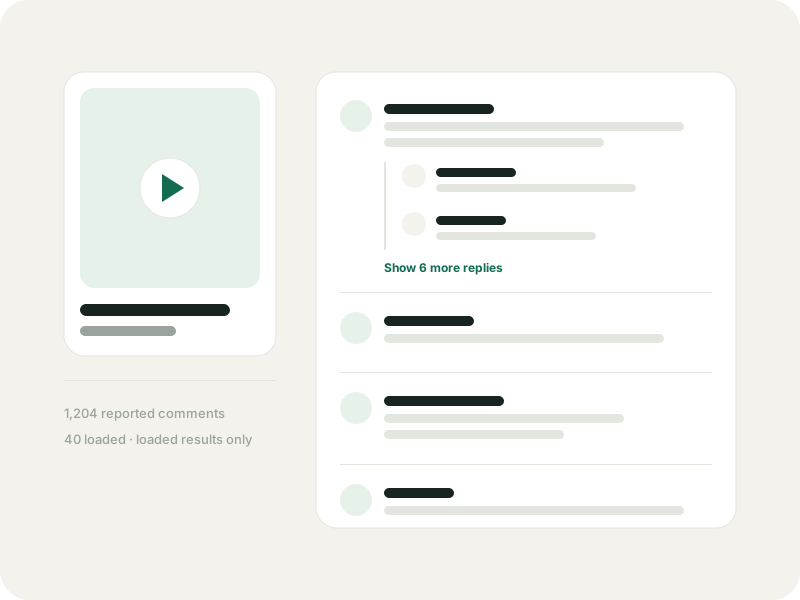
Someone knows the song. Someone asks the question you had. Paste a public video link, load its comments and open the replies you want to read. Search loaded main comments by text or username, then sort by most liked or keep the source order.
- Read replies beneath the comment they answer
- See retrieved counts alongside the reported total
- Open a separate CSV or Excel export when you need a file
Your favourites, one tap away.
Private by design.
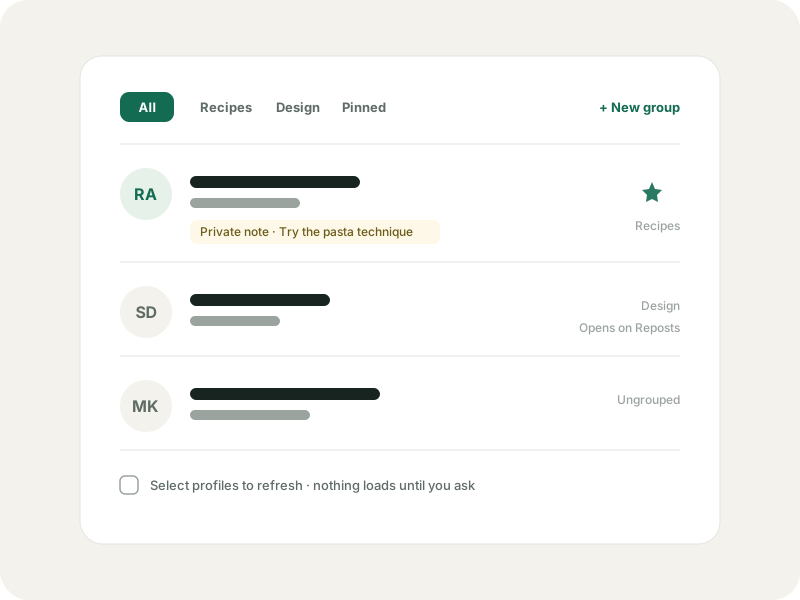
The cook with the weeknight recipes. The artist you want to check out again. Save up to three profiles on this device without signing in. A GlimTok account adds a list across devices, with groups, pinned favourites and notes only you can see.
- A private bookmark, without following the creator on TikTok
- Choose which device bookmarks to import after signing in
- Refresh saved details when you want an update
For whatever made you curious.
A quick catch-up, a potential collab or the start of your next project. There is more than one reason to take a look.
Creators
Get to know a potential collaborator. Read the questions under a post and find an idea for your next video.
Brands and agencies
Explore a creator's public work before reaching out. Keep a private shortlist with a note for each account.
Researchers
Review accessible posts and discussions. Keep the retrieved counts and collection limits with your findings.
Community managers
Follow the replies that matter to your community. Prepare a comment export when your team needs a spreadsheet.
Parents
Look at a public account someone mentioned, without making a TikTok account or installing the app.
The curious
A friend sent a handle. A creator caught your eye. Sometimes you just want to see what the fuss is about.
Public content. Clear boundaries.
The Anonymous TikTok Viewer works without connecting your TikTok identity. Requests still reach GlimTok and its providers. Here is what that means for your visit.
Read what anonymous viewing means- Private accounts and restricted content stay private. GlimTok cannot unlock them.
- Stats may lag behind the app. Missing numbers stay unknown, rather than being treated as zero.
- Accessible posts, reposts and comments may be incomplete. Results explain when loading stops.
- Using no TikTok login does not make traffic invisible. GlimTok, its provider and media servers still handle requests.
- Image viewing, downloads or playback may be unavailable. The tool tells you what is supported before you rely on it.
Anonymous TikTok Viewer, answered.
About logins, private accounts and finding your way around. A few things to know before your first look.
Read the guidesIs the Anonymous TikTok Viewer free?
Yes. Public browsing is free within a daily allowance. A GlimTok account adds cloud bookmarks and a monthly allowance for small comment exports. Larger exports may require more credits.
Can I browse without signing in to TikTok?
Yes. A public lookup does not need your TikTok login, password or session cookie. Enter a username or full video link and choose what to load.
What does anonymous mean here?
You do not connect your TikTok identity. Requests still pass through GlimTok and its data provider, and media may come from third-party servers. Anonymous does not mean untraceable.
Can I see a private account?
No. GlimTok only works with accessible public content. It cannot bypass privacy settings or recover posts the source cannot return.
Does the Anonymous TikTok Viewer work on mobile?
Yes. Open GlimTok in a modern browser on your phone or tablet. It works on a computer too, with no app or extension to install.
Why would I create a GlimTok account?
Sign in with Google to keep more saved profiles across devices and run private comment exports. Your GlimTok account does not connect a TikTok account. Importing device bookmarks is a separate choice.
Does saving a creator follow them on TikTok?
No. Save profile makes a private GlimTok bookmark. It does not change your following list or notify the creator.
Will a comment export include the whole conversation?
Not necessarily. Your row and credit limits, as well as the source's access, affect what can be collected. Each export has a scope report with retrieved counts and the reason it stopped.
Is GlimTok part of TikTok?
No. GlimTok is an independent tool and is not affiliated with or endorsed by TikTok or ByteDance.
A little context goes a long way.
Get to know anonymous browsing, keep a private saved list or take your first comment export into Excel.
What anonymous TikTok viewing really means
No TikTok login is a useful boundary, not a promise of invisible traffic. Here is the honest version.
Read the guideExportsHow to export TikTok comments to Excel
From a public video link to a scoped spreadsheet, with a quote you approve and a report you can trust.
Read the guideSaved profilesHow to save TikTok profiles privately with GlimTok
Local bookmarks, explicit import and a private cloud list, explained step by step.
Read the guideCuriosity looks good on you.
Start with a handle or a link. The Anonymous TikTok Viewer takes it from there, one public page at a time.