TikTok Profile Viewer
A closer look starts with a username. Explore bios, stats and public posts with the TikTok Profile Viewer. No TikTok login. No app to install.
- No password, ever
- Public content only
- Nothing to install
The essentials, without the noise.
Get to know the creator.
The bio, the handle, the numbers. See their followers, following, likes and video count in one place, when available.
Go beyond one viral post.
Load their public posts to see more of what they make. Browse captions and post details, one page at a time.
Keep your favourites close.
Save a profile for another day. Your bookmark stays in GlimTok, without following the creator on TikTok.
Three steps. You set the pace.
Enter
Type the creator's exact @username or paste their full TikTok profile link. With or without the @ works.
Choose
Meet the profile while the first posts load automatically. Explore their videos, photos and latest stats.
Explore
Load more at your own pace. Found someone worth coming back to? Choose Save profile to keep a private bookmark.
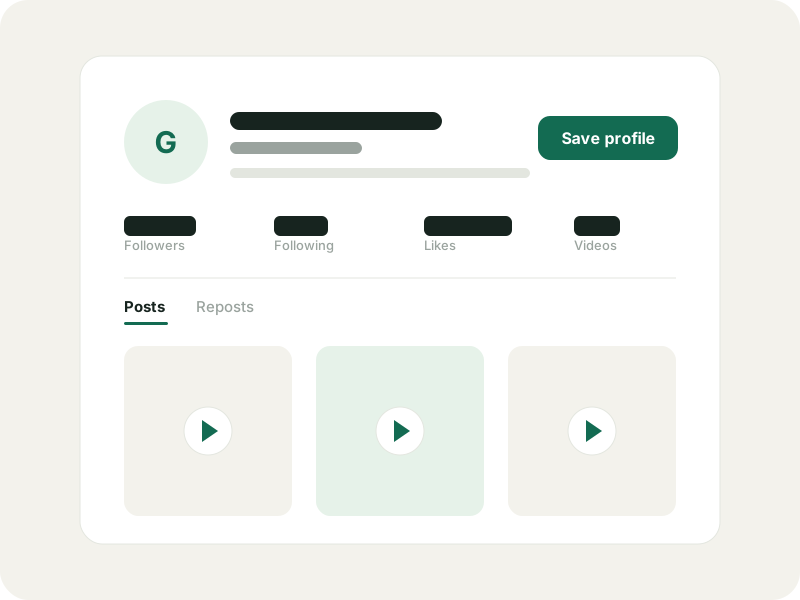
From a handle to a closer look.
Look up any public TikTok profile by username or link. See the bio, follower counts and recent posts without logging in or installing the app.
Public profiles only. Private accounts and restricted content stay private. Stats may lag behind the app, and some posts may be unavailable. If something cannot load, GlimTok tells you.
A TikTok Profile Viewer. No login needed.
A friend sends you a creator's handle. A clip leaves you curious. You want a look at the profile behind it. Paste the username or full profile URL into GlimTok to see the public details, without signing up for TikTok.
The TikTok Profile Viewer opens in your browser on a phone, tablet or computer. There is no extension to add and no password to hand over. Check a bio on the go or take a closer look at a creator from your laptop.
Use the exact handle, such as @username, rather than a display name. Handles point to a specific account; names can be shared by many people. If someone has changed their username, try their current profile link.
The bio. The stats. The bigger picture.
Start with the essentials: display name, @handle, bio, followers, following, total likes and video count. The TikTok Profile Viewer brings those details together so you can get a feel for an account before exploring its posts.
The first videos and photo posts load alongside the profile, with captions and available view, like and comment counts. Want to see what caught their eye? Switch to Reposts for accessible videos they have shared, with the original creator labelled.
The first page loads with the profile. Load more at your own pace. Missing numbers stay marked as unknown, and the fetched time helps you judge how fresh a profile is. An empty result does not necessarily mean the creator has never posted.
Browse anonymously. Know what that means.
Using the TikTok Profile Viewer does not connect your TikTok identity. You never provide a login, password or session cookie, and saving a creator here does not follow them or like their posts.
Anonymous browsing is not a promise of invisible traffic. Requests still pass through GlimTok and its data provider, and images may load from third-party servers. The tool only shows accessible public content; it cannot unlock private profiles or bypass restrictions.
Found a favourite? Keep it close.
The recipe creator you keep forgetting. The artist a friend recommended. A potential collab for next month. Choose Save profile and keep up to three bookmarks on this device without signing in.
A GlimTok account gives you a saved list across devices, with groups, pinned favourites and private notes. You can choose to import your device bookmarks after signing in. Nothing is added to your TikTok following list.
Saved profiles keep the details from your last lookup. Opening the list does not refresh them automatically. When you want an update, choose the profiles to refresh and confirm it yourself.
The same rules on every page.
No TikTok login
You never enter a TikTok password, code or cookie. There is no account to connect.
Public content only
GlimTok shows what a public source makes available and never bypasses privacy settings.
Nothing loads until you ask
Your lookup loads the profile and its first content page. You choose when to load more or open comments.
A private saved list
Your bookmarks, groups and notes stay in your account. Saving never follows anyone.
TikTok Profile Viewer, answered.
A few things to know before your first look. From supported usernames to what stays private.
Is the TikTok Profile Viewer free?
Yes. Public profile browsing is free within a daily allowance. You do not need a paid plan to look up a creator or explore accessible posts.
Can I view TikTok profiles without an account?
Yes. Enter a username or full profile link to get started. You do not need to sign in to TikTok or create a GlimTok account for a lookup.
Can I see private profiles?
No. Private accounts stay private. GlimTok cannot unlock them or show age-restricted content that its data source cannot access.
Will this show up in someone's profile view history?
You do not connect your TikTok account, so GlimTok does not make the lookup through your logged-in profile. Requests still reach GlimTok and its provider; this is not a guarantee of untraceable browsing.
Why are the follower counts different from the app?
The numbers reflect what the data source returned and can lag behind TikTok. Check the fetched time on the profile. A missing count means it was unavailable, not zero.
Does the TikTok Profile Viewer work on my phone?
Yes. Open it in a modern mobile browser, enter the handle and take a look. It also works on tablets and computers, with nothing to install.
Can I search by a creator's name?
Use their exact @username or full profile URL. Display-name search is not supported. If you have a link to a single video, find the creator's handle first.
Go a little deeper.
What anonymous TikTok viewing really means
No TikTok login is a useful boundary, not a promise of invisible traffic. Here is the honest version.
Read the guideSaved profilesHow to save TikTok profiles privately with GlimTok
Local bookmarks, explicit import and a private cloud list, explained step by step.
Read the guidePublic browsingHow to view public TikTok reposts without an account
See what a public account has shared, who made each video, and where the source stops.
Read the guideTikTok Repost Viewer
Use the TikTok Repost Viewer to explore a public account's shared videos, with the original creator shown. Enter a username. No TikTok login needed.
OpenTikTok Comment Viewer
Read public comments with the TikTok Comment Viewer. Paste a video link, open replies and search the comments you load. No TikTok login needed.
OpenTikTok Comment Exporter
Turn public comments into CSV or Excel with the TikTok Comment Exporter. Choose replies, set a row limit and review the credit quote before starting.
OpenTikTok PFP Viewer
TikTok PFP Viewer for public profile pictures. Look up an account by username, view its public avatar and download the largest available image.
OpenSomeone in mind? Take a look.
Open the TikTok Profile Viewer with a username or profile link. Your next find starts here.